Technology
Inside the virtual camera.
The effects are already in the picture by the time it reaches the meeting. A person on the other end sees the same spiders, mask, or caption bar in your video tile.
On macOS 15 or later, Still Nodding captures your selected camera. The app builds a frame on your Mac and passes it to a Core Media I/O camera extension. Choose that virtual camera as the video source in Zoom, Google Meet, or FaceTime.
What goes into a frame
The app starts with the live camera or the four-second loop. A tracked head and any face distortion are applied to that picture. Core Image then processes the selected camera look. Text, images, insects, and confetti are drawn on top, so a logo keeps its color even in a black-and-white shot. A signal glitch is applied to the finished frame.
How the mask follows a face
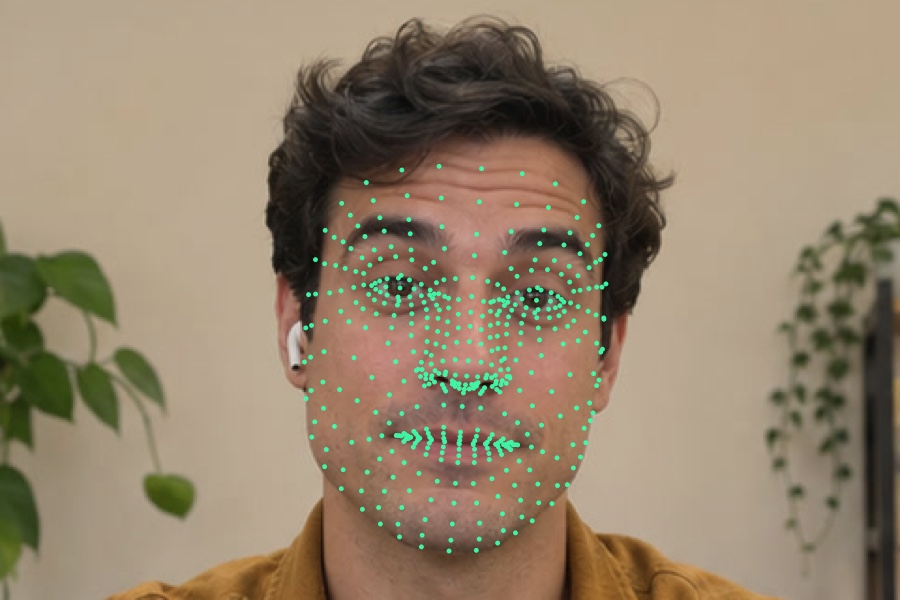
Apple Vision locates the face. MediaPipe face-landmark models running locally through ONNX Runtime estimate 478 landmarks and expression scores. The app uses them to place and animate the Face Cap head. Metal draws the head with the selected material, including its eye movements and mouth shape.
The default mask view sends the head on a dark background. Show webcam adds the room around the covered face. With this option on, a very fast movement can briefly expose an edge of the face.
Hands and spoken cues
Vision hand-pose detection recognizes a held peace sign or thumbs-up. The thumb position gives the confetti burst its starting point. For voice control, a streaming sherpa-onnx recognizer listens to the audio sources you enable while the camera is running. The app matches the words to the configured commands and can send settled speech to the caption bar.
Voice recognition runs on the Mac. The app keeps recognized text in memory and does not write the audio or transcript to disk. Microphone and call-audio access are optional.
What the website preview does
The call on the home page uses fictional participants and prerecorded effect samples. Your browser switches between static images and short video clips. To use a gesture with your own camera, enable it in the Mac app.